

If you have been using Claude Code for any serious project work, you have probably run into the same friction I did. Every time I needed my agent to tackle a specific task, I found myself typing the same set of instructions again. These were mostly tasks like what docs to read? How to plan the implementation. How to update documentation and write tests. The same briefing, over and over.
Skills in Claude Code solve that problem cleanly.
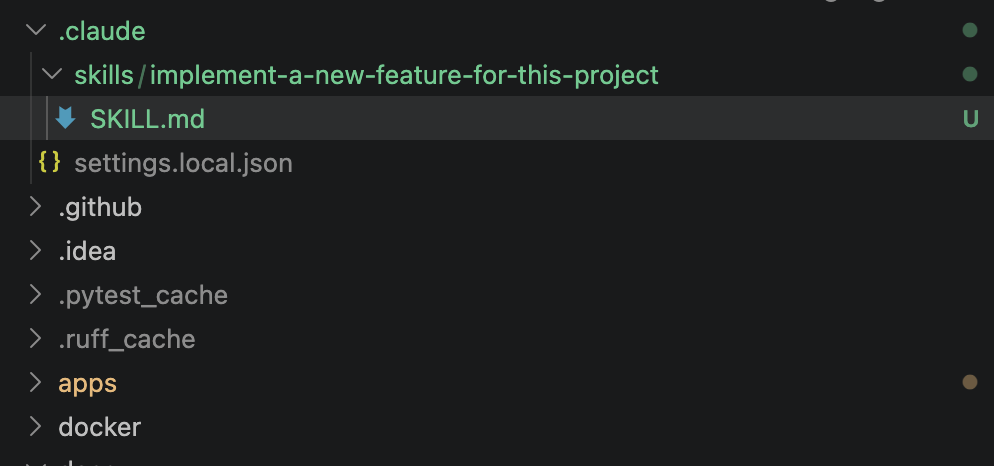
.claude/skills/ in your project repositoryWhat a Skill Actually Is
A Skill is a Markdown file containing a set of instructions you want to pass to your agent for a specific, repeatable task. It lives in a folder named descriptively after what it does, and the file itself is always called SKILL.md. That naming matters because it is how the agent finds and applies it.
A project Skill is stored in the .claude/skills/ folder inside your project repository, which means it is version-controlled and available to everyone with access to the repo. That alone makes Skills a genuinely useful team primitive, not just a personal shortcut.
How the Agent Picks It Up
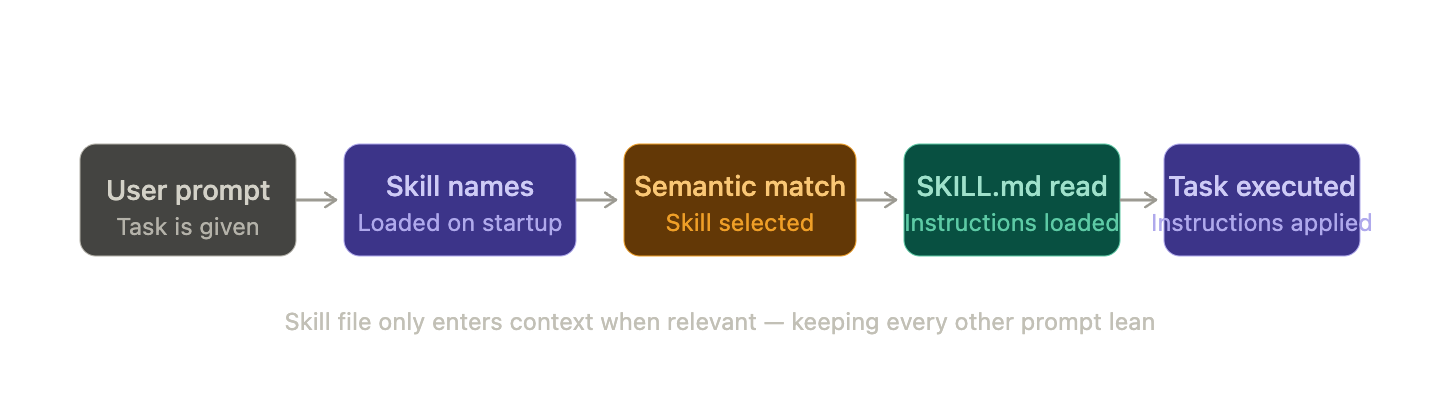
Skills work through semantic matching. When Claude Code starts on your project, it loads the names and descriptions of all available project Skills so it knows what is in the toolkit. When you give the agent a task, it determines whether any Skill is relevant based on what you have asked. If it is, the agent reads the Skill file and applies the instructions from it.
This is why the folder name has to do real work. It needs to be descriptive enough that the agent can reliably connect it to the situations where it applies. A vague name means the agent may miss it entirely or apply it at the wrong moment. Treat the folder name as a semantic trigger, not just a label.
The other important detail is that Skills are not loaded into your context window on every prompt. The agent adds only the Skill name to the context initially, then reads the full file when it is actually working on a relevant task. This keeps your context lean and your agent focused.
How I Started Using Skills
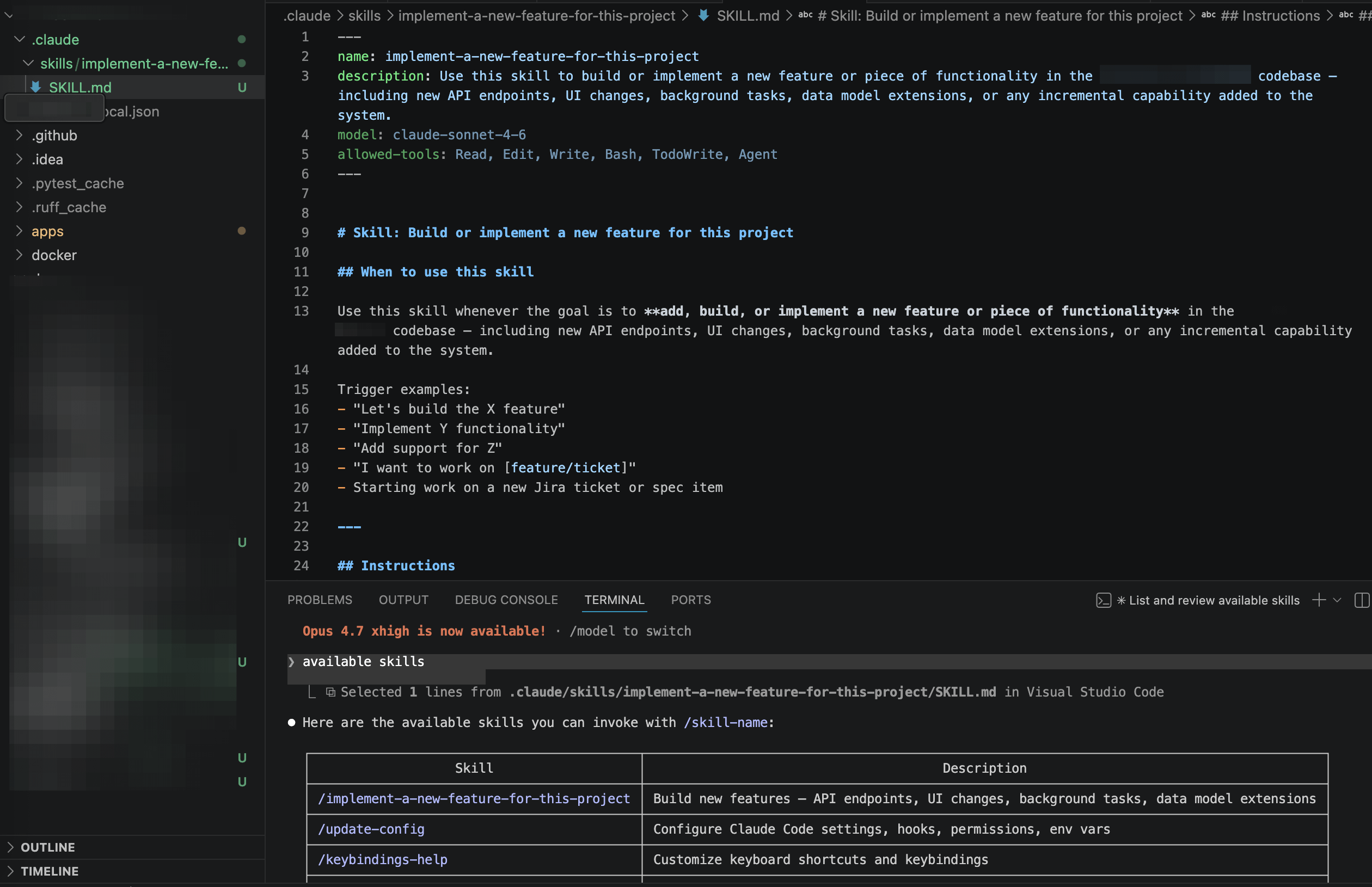
The project that pushed me toward Skills was a web app where I was incrementally adding new features. Every time I started on a new feature, I had to walk the agent through the same reasoning process: which project docs to read first, how to think through the implementation plan, how to update the documentation, and how to write tests. It was repetitive and error-prone because I was essentially re-briefing the agent from scratch each time.
I created a Skill called implement-a-new-feature-for-this-project and put all of that into the SKILL.md file. Now, when I tell the agent to implement a new feature, it knows exactly how to approach it. I describe what I want built. The agent handles the rest.
The Skill file lives here in my project: .claude/skills/implement-a-new-feature-for-this-project/SKILL.md
To use it, I just describe the task naturally without repeating anything already in the Skill. The agent picks it up from there.
Keeping Skills Focused
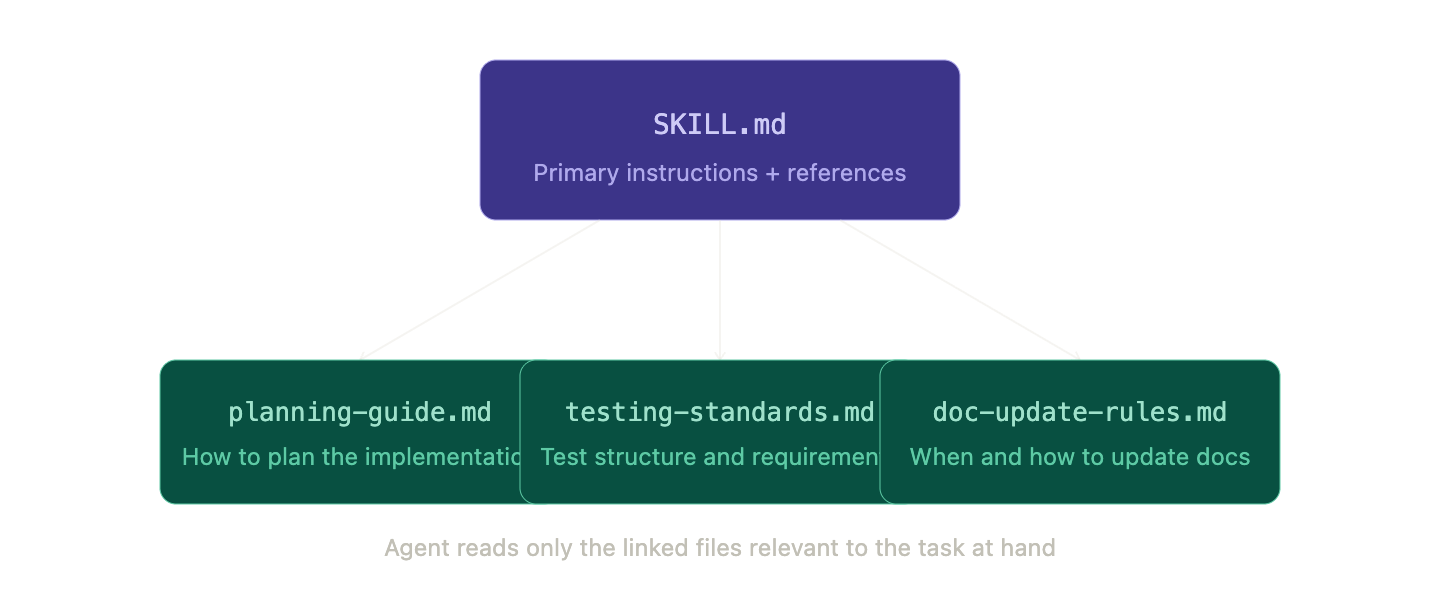
One thing I would flag from experience: keep your Skill files under 500 lines. If you are creeping past that, the Skill is probably trying to do too much. Split it. In your SKILL.md, you can reference other Markdown files that contain supporting instructions, and the agent will read them as needed. Be explicit about what each file covers and when it is relevant. This way the agent is not loading instructions it does not need for the task at hand.
You can also add allowed-tools and model to the Skill’s metadata to restrict what Claude can do while executing it. This is particularly useful for read-only workflows or anything security-sensitive where you want a tighter scope of action.
To see all available Skills in your project, just ask your agent to list them.
A Few Things Worth Flagging
Skills in Claude Code are a relatively recent feature, and the documentation is still evolving. I have described them here as I have experienced them in practice. The core mechanics, semantic matching, context efficiency, and the .claude/skills/ directory structure are accurate to my working experience. That said, if you are reading this a few months from now, check the official docs at docs.anthropic.com to confirm any specifics, particularly around metadata fields like allowed-tools and model, which may have changed.
Skills are one of those features that look simple and turn out to be a meaningful upgrade to how you work with an AI agent on a real codebase. Less repetition, better reliability, and a cleaner separation between what you ask for and how the agent knows to do it.