

When we think about the quality of output from a coding agent, we tend to focus on the model itself. We ask which model is better, which tool is smarter, which generates cleaner code. But a large part of whether you are satisfied with what the agent produces depends on what you put in. Were you clear enough? Did you give examples of what a good response looks like and what a bad one looks like? Did you include guidelines about the standard of output you expected? Did you structure the context you provided in a way the model could actually use?
Most teams never ask these questions systematically. They leave each developer to figure it out on their own, and then wonder why the agent is producing inconsistent results across the same project.
Why Writing Good Prompts Matters
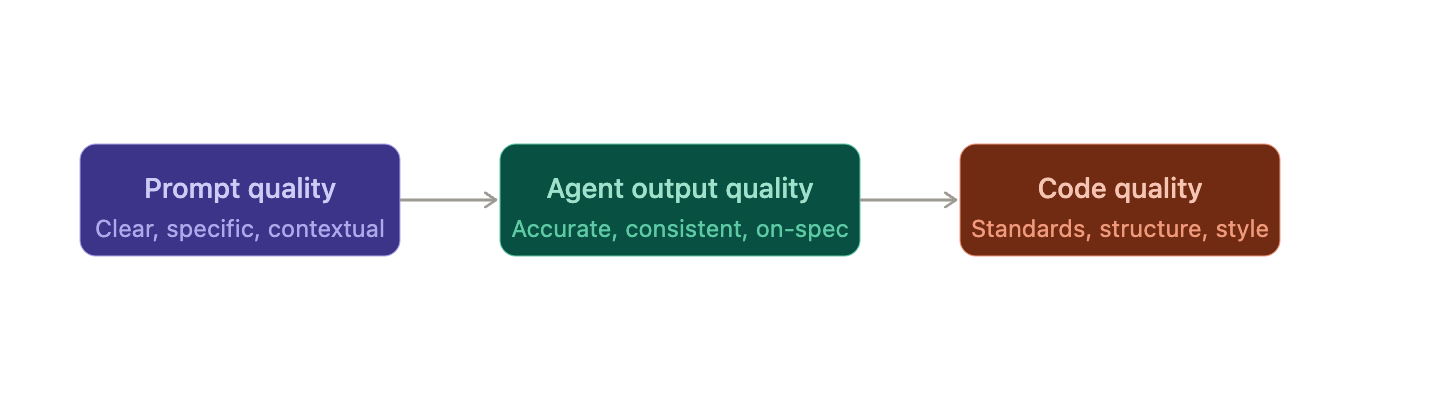
This is not just a productivity concern. It touches several things at once.
You get what you want on the first try, which means fewer back-and-forth exchanges with the agent, less token usage, and less frustration. You preserve your conversation history cleanly instead of it being cluttered with corrections and retries. You reduce the environmental and financial cost of running these models. You save time. And you demonstrate something harder to measure but just as important: clarity of thinking. A good prompt reflects that you understood the task well enough to explain it precisely.
Bad prompts produce hallucinations, vague outputs, and outputs that technically answer the question but miss what you actually needed. Good prompts prevent all of that, or at least reduce it significantly.
The Team-Level Problem
Here is where it gets more serious. On a software team where multiple developers are using AI to do the same types of tasks, each person writing their own prompts creates real divergence.
Consider two developers working on the same kind of task: writing unit tests or generating a database schema. One developer’s prompt defines the goal clearly, provides relevant context about the project, and specifies what good output looks like. The other writes a two-line instruction and hits enter. The outputs will not just look different. They may reflect fundamentally different approaches, different conventions, and different assumptions about quality.
In traditional software development, teams deal with this through standards. Developers know what good code looks like for a given task. Pull request reviews enforce it. There is a shared definition of acceptable quality. That system works because expectations are explicit and reviewable.
With agentic software generation, that shared definition has not been established yet. Everyone is working from their own intuition about how to prompt, which means there is no baseline, no review process, and no consistency. The result is divergence across projects in how things are built, what conventions are followed, and what standard of output is considered acceptable.
Evaluating the prompts used by coding agents is a first layer of control over this problem. It helps maintain consistency across project repositories, ensures common tasks produce outputs of a similar standard, and reduces the number of prompt iterations required to get something usable. Fewer iterations means less developer frustration, less time spent, less money spent on tokens, and fewer opportunities for the agent to hallucinate.
What You Are Actually Trying to Build
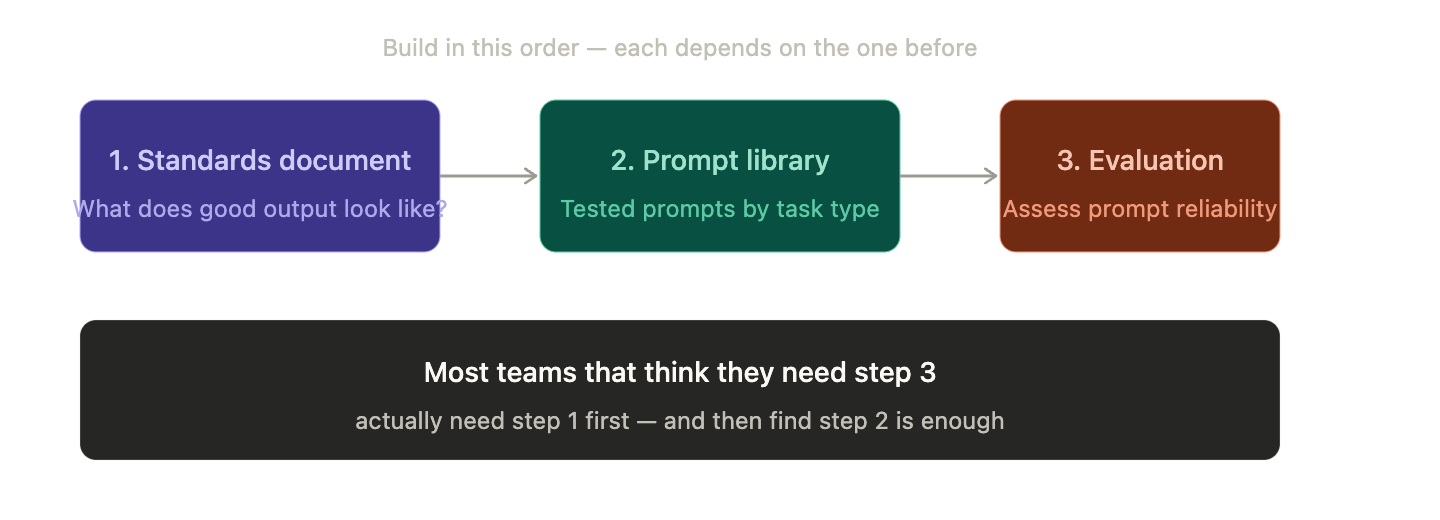
When you step back, the goal is this: a system that helps a software engineering team use AI consistently, predictably, and with shared quality expectations across common task types.
That breaks into three distinct deliverables.
A standards document. This defines what good output looks like for each AI-assisted task your team does: database models, unit tests, API implementations, and documentation. This is not a system. It is a written standard, and it is the prerequisite for everything else. It is also the most underrated deliverable here.
A prompt library with context. A shared set of reviewed, tested prompts organised by task type, with notes on when to use them, what context to provide, and what output quality to expect. This is a practical workflow tool. Teams actually use these.
An evaluation framework. A structured process for assessing whether a prompt reliably produces output that meets your standards. This could be a rubric and a test set, or something more automated. But it cannot exist without the standards document already being done.
Most teams that think they need an evaluation framework actually need the standards document first. Once that exists, a prompt library is often sufficient.
A Concrete Direction: The Prompt Library
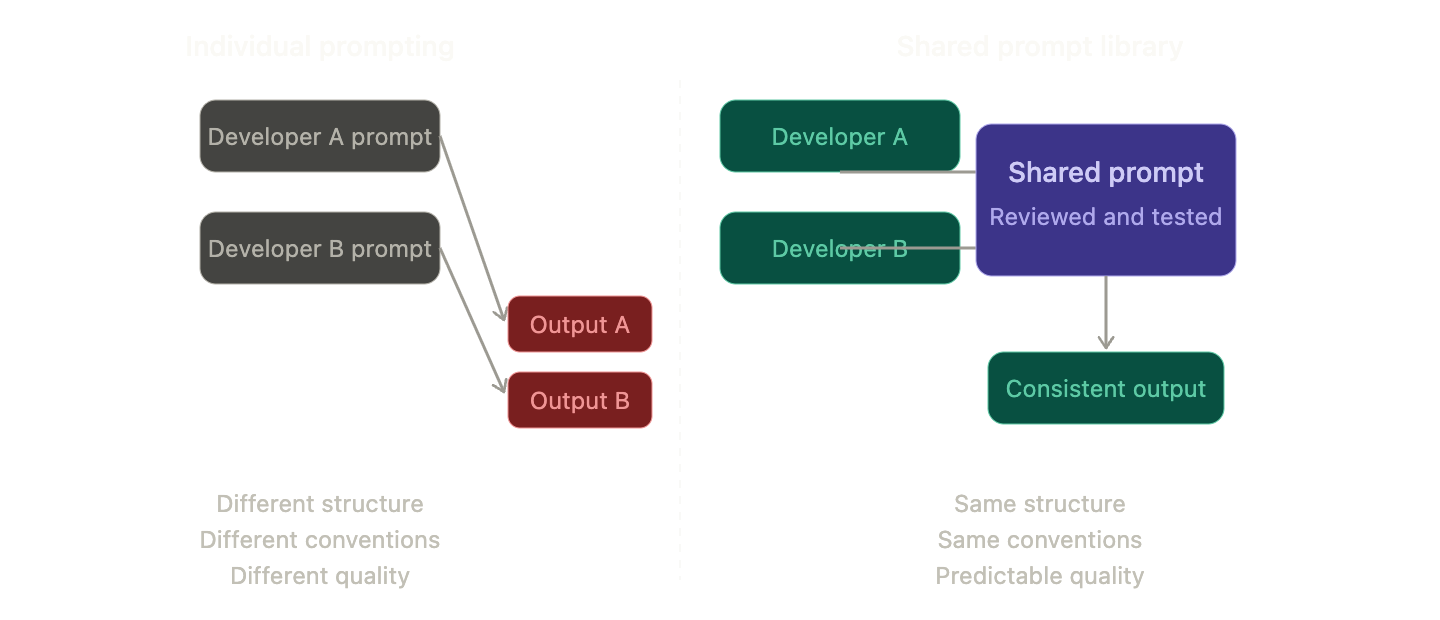
The practical starting point is a prompt library for the tasks your team repeatedly does with a coding agent. For a software engineering team, those tasks typically include creating data models, building APIs, writing unit tests, and creating project documentation.
Using the exact same prompt for the same task will not always produce identical results. But it will reliably produce output that is more similar in structure, more consistent in the constraints it applies, and closer to your team’s quality expectations than everyone prompting from scratch each time.
The Documentation Skill: A Practical Example
One concrete implementation of this idea is creating a Claude skill for updating documentation.
The distinction between a skill and a command matters here. A Claude command is a custom slash command you call from the chat. It includes the contents of a markdown file in the context of the request, and you can pass parameters to it. A skill is different in nature. It teaches the agent how to approach a category of task. It provides the guidance, standards, and expectations that shape how the agent behaves whenever that type of task comes up. The reason to use a skill here, rather than a command, is flexibility. Documentation tasks vary widely, and the skill needs to cover that range without requiring you to define every variation as a separate command.
What Documentation Actually Means Now
The traditional documentation types most developers are familiar with include docstrings, inline comments, API documentation, and project README and setup docs.
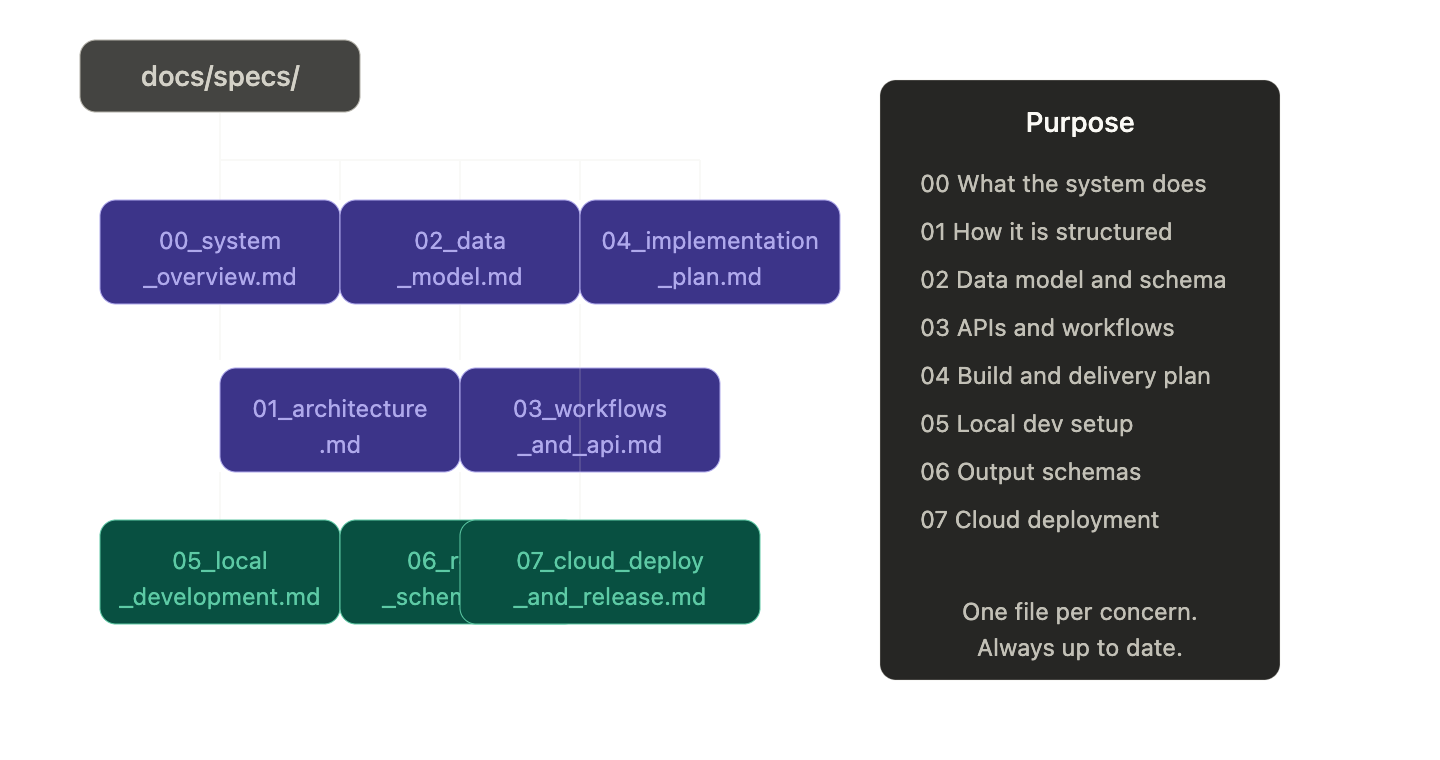
But modern agentic software engineering has introduced a new category of project documentation. These are files stored in a docs/specs folder in the project root, and they exist to give any agent (or any new developer) a full picture of the project without having to read through the entire repository. A typical set of these files looks like this:
00_system_overview.md01_architecture.md02_data_model.md03_workflows_and_api.md04_implementation_plan.md05_local_development.md06_result_schemas.md07_cloud_deployment_and_release.md
Each file covers a specific aspect of the project in a consistent, structured way. When kept up to date, they allow an agent to get oriented quickly and accurately.
How the Skill Works in Practice
With a documentation skill in place, a developer working in a project repository can write a single-line instruction in the agent chat using the skill’s trigger words and specify what type of documentation they need. The skill handles the rest: what a good documentation output should include, what standards to apply, what the structure should look like.
Common use cases include updating docstrings for a specific function, writing comments for all changes made in a new feature, creating or updating the README, and creating or updating API documentation for one or multiple endpoints.
The result is that across the team, documentation tasks produce outputs that are structurally similar, meet the same quality bar, and reflect the same conventions, regardless of who ran the agent.
The Bigger Picture
Prompt quality is a code quality problem. It sits upstream of everything the agent generates. Getting it right does not require a complex automated system. It requires teams to be deliberate: define what good looks like, build shared prompts that meet that standard, and make those prompts easy for everyone to use.
The documentation skill is one starting point. The same logic applies to every other task type a coding agent handles regularly.